
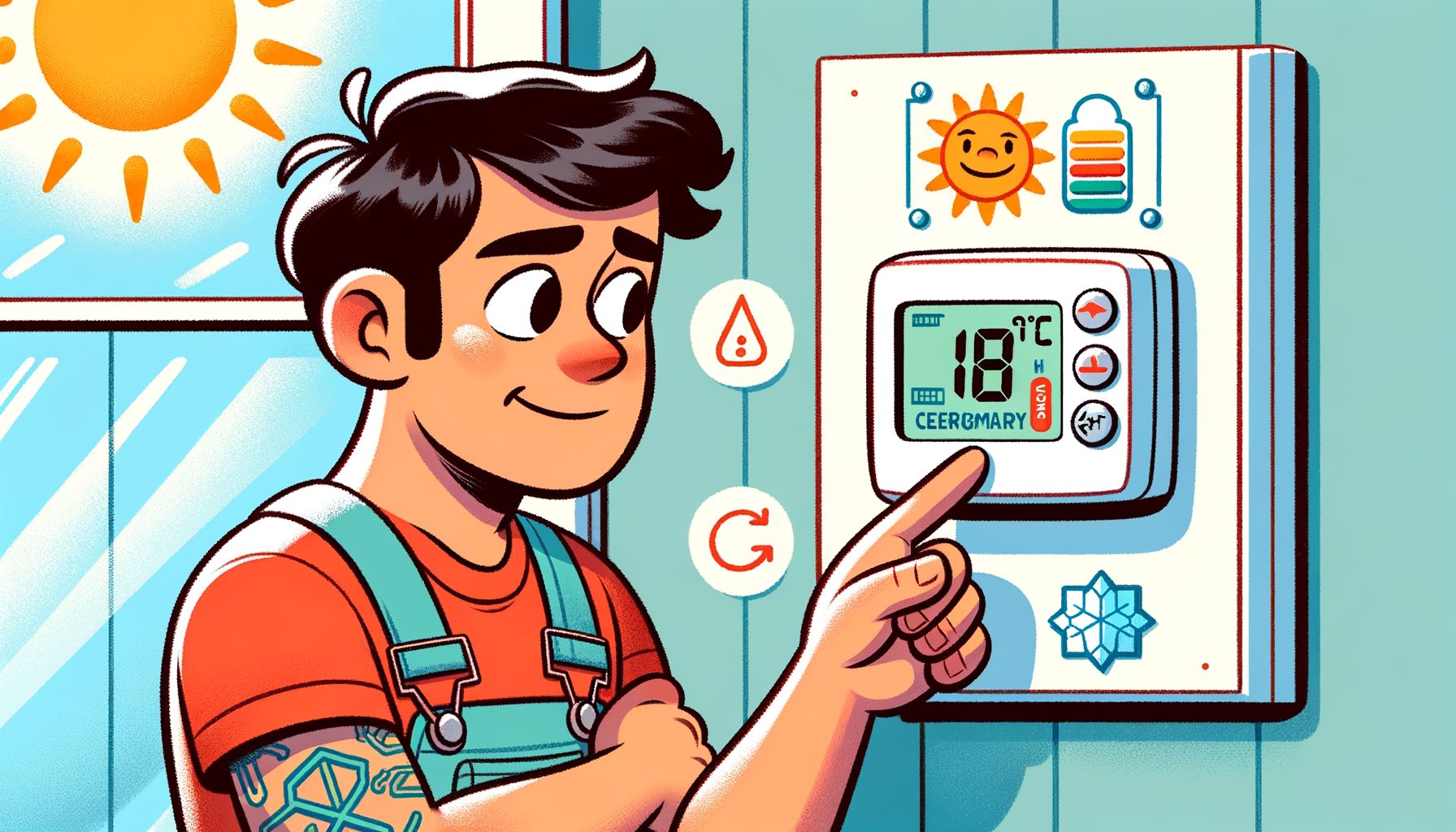
Air conditioning should simplify life—not inflate bills or create confusion. Still, one small device often trips people up: the AC thermostat. Rising energy costs or rooms that never feel “just right”? The culprit is usually your settings. Here’s the upside: with a few habits and smarter targets, the thermostat can keep you cool, cut equipment wear, and save real money without much comfort trade‑off. In this beginner‑friendly guide, you’ll learn how to set, use, and optimize an AC thermostat, with tips that work globally in both °C and °F.
AC Thermostat Basics: What It Does and Why It Matters
Think of the AC thermostat as your cooling system’s control center. Indoor temperature is measured by an internal sensor, which signals the air conditioner to turn on or off until your chosen setpoint is reached. Modern models can also manage fan settings, schedules, and even humidity. Used well, a thermostat balances comfort and cost; used poorly, it wastes energy and strains equipment.
Some terms make settings easier to navigate. “Mode” governs the system’s job: Cool (chills the air), Heat (for heat pumps or combined systems), or Auto (switches between cooling and heating when available). “Fan” offers Auto (runs only during cooling cycles) or On (runs continuously). Auto is usually more efficient and better for humidity control in cooling season. “Hold” overrides a programmed schedule and keeps a fixed temperature until you cancel—handy for vacations or unusual days. Many thermostats also include “Schedule,” letting you set different temperatures for morning, day, evening, and night.
Placement matters more than most people realize. A thermostat mounted near a window, in direct sun, above electronics, or close to a kitchen may read warmer than the rest of the home and trigger overcooling. Best practice: mount it on an interior wall, roughly 1.5 meters (5 ft) above the floor, away from drafts, heat sources, and sunlight. If hot or cold spots exist, remote sensors (common on smart thermostats) can average temperatures across rooms you actually use.
Comfort isn’t only about temperature; humidity carries weight, too. During cooling season, indoor relative humidity below 60% (ideally 30–50%) feels better and limits mold risk, per the U.S. Environmental Protection Agency. In humid climates, keeping the fan on Auto improves moisture removal. When humidity stays high despite that, consider a dehumidifier or a system check.
Finally, beware the “myth of the sprint.” Dialing a setpoint way down—from 26°C/78°F to 18°C/64°F—won’t cool the space faster. It only forces longer run times and can lead to overcooling. Your AC cools at a fixed rate. Aim for steady, sensible targets and a solid schedule to protect comfort and your wallet.
How to Set an AC Thermostat the Right Way (Step-by-Step)
Step 1: Pick a baseline comfort temperature. For most homes in summer, start at 24–26°C (75–78°F) when people are home and active. Try 26°C/78°F first. Still warm after 30–60 minutes? Lower by 0.5–1.0°C (1–2°F). Small steps are efficient and help you find your true comfort zone.
Step 2: Build a daily schedule. If scheduling is available, create at least four periods: Wake, Day (away), Evening, and Sleep. An easy starter: 26°C/78°F when home, 27–29°C (80–84°F) when away, and 26–27°C (78–81°F) at night. Adjust based on climate, insulation, and your preferences. Work from home? Try a small midday increase during less active hours.
Step 3: Set the fan to Auto. Doing so keeps humidity lower and trims wasted energy. If the air feels stuffy, try short “circulate” runs (if supported) or switch on ceiling fans, which make you feel 2–3°C (3–5°F) cooler through wind‑chill. Remember: fans cool people, not rooms. Turn them off when you leave.
Step 4: Calibrate comfort with ceiling fans and shades. Sun heating up certain rooms? Close blinds during peak hours. Run ceiling fans on low to medium, blowing downward (counterclockwise in summer), to feel cooler at a higher setpoint. Many folks can raise the setpoint by 1–2°C (2–4°F) and still feel fine with a fan.
Step 5: Use “Eco,” “Away,” or “Hold” thoughtfully. If you’ll be out for more than 2–3 hours, raise the setpoint by 1–3°C (2–5°F) to save energy with minimal recovery time. For trips longer than a day, select Vacation/Hold and set 29–30°C (84–86°F), accounting for pets and sensitive items. With a smart thermostat, geofencing can automate these shifts based on your phone’s location.
Step 6: Avoid big swings. Large daily changes can cause long recoveries and discomfort—especially in humid climates where moisture lingers. That approach is a practical balance recommended by many energy experts: aim for 1–3°C (2–5°F) differences between “home” and “away.”
Step 7: Keep up with maintenance. Filters should be replaced or cleaned every 1–3 months (or as specified). Restricted airflow raises energy use and can ice coils. Supply vents should be open and unobstructed. If the thermostat uses batteries, swap them annually to prevent random shutdowns or lost schedules.
Step 8: Consider the building and climate. Dry climates tolerate slightly higher setpoints; humid regions benefit from stronger dehumidification (fan Auto, clean filters, correct refrigerant charge). When insulation is poor or windows leak, shading and sealing often improve comfort faster than chasing a lower number.
Smart Thermostats, Schedules, and Energy-Saving Strategies
Smart thermostats add features that make saving easier without micromanaging. They can learn routines, detect occupancy, and use geofencing to switch to Away when no one’s home. Many models support remote sensors to average temperatures across rooms or prioritize spaces you’re using (like the bedroom at night). If your utility uses time‑of‑use rates or demand response, pre‑cooling can be automated before peak prices, with lighter cooling during expensive hours—often without a noticeable comfort drop.
Scheduling remains the backbone of savings. According to the U.S. Department of Energy, adjusting your thermostat by 7–10°F (about 4–6°C) for 8 hours daily can deliver up to roughly 10% annual savings. In cooling season, that means raising the setpoint while you’re away or asleep, then returning to your active setting. Heat‑sensitive? Start with smaller changes (1–2°C/2–4°F) and pair them with shading and fans.
Integration multiplies the effect. Pair the thermostat with smart shades or simple blackout curtains on sun‑facing windows to cut heat gain. A smart plug can run a dehumidifier or box fan during the hottest stretch of the day. In hotter regions, pre‑cool living areas by 1–2°C (2–4°F) before outdoor temps spike, then allow the setpoint to drift slightly higher; comfort is maintained while the AC cycles less during peak hours.
Rebates and incentives can shrink upfront costs. Many countries and utilities discount certified smart thermostats and reward demand‑response enrollment. Check your local utility or the ENERGY STAR rebate finder. When choosing a model, confirm system compatibility (single‑stage vs. multi‑stage, heat pump vs. conventional) and focus on features you’ll actually use: remote sensors, geofencing, humidity control, and clear energy reports that turn data into actions.
| Scenario | Recommended Setting | Notes | Potential Savings |
|---|---|---|---|
| Home & active | 24–26°C (75–78°F) | Use ceiling fans to feel cooler at higher setpoints. | — |
| Sleeping | 26–27°C (78–81°F) | Adjust to personal comfort; keep fan on Auto for humidity control. | 1–5% vs 24°C/75°F |
| Away 2–8 hours | +1–3°C (+2–5°F) above home setting | Easy recovery time; minimizes humidity rebound. | Up to several % per day |
| Vacation (24+ hours) | 29–30°C (84–86°F) | Consider pets and sensitive items; use “Hold” or “Eco.” | Part of DOE’s ~10% annual potential |
| Every 1°F (0.5°C) increase (24/7) | — | Rule of thumb; varies by climate & home. | ~1–3% energy savings |
Note: Savings will vary by climate, building, system efficiency, and behavior. Combine setpoint strategy with shading and airflow for the best results.
Troubleshooting and Common Myths
Myth: “Setting the thermostat very low cools faster.” Reality: Most AC systems cool at a fixed rate. Dropping the setpoint too far only makes the unit run longer and may create cold spots. Choose a realistic target and let the system work steadily.
Myth: “Fan On is better for cooling.” Reality: In cooling season, Fan On can raise indoor humidity by blowing across coils after the compressor stops and re‑evaporating moisture. Fan Auto is typically best for comfort and efficiency.
Myth: “Closing vents in unused rooms saves energy.” Reality: Many residential systems are designed for balanced airflow. Closing vents can increase duct pressure, cause noise, reduce efficiency, and even ice coils. If zoning is needed, use a properly designed system or smart dampers rather than ad hoc closures.
Issue: “AC runs but it’s not cool enough.” Start with the filter—dirty filters are the top culprit. Make sure windows are closed and blinds are drawn during peak sun. Check that the thermostat isn’t in direct sun or near a heat source. If short‑cycling occurs (rapid on/off), thermostat placement or settings like differential (hysteresis) may need adjustment. Persistent issues should be evaluated by a technician for refrigerant charge, coil cleanliness, and airflow.
Issue: “Uneven temperatures between rooms.” Begin with airflow: open vents fully and move large furniture away from registers. Use a fan to mix air or a smart thermostat with remote sensors to average temperatures. In multi‑story homes, warm air rises—pre‑cooling upper floors before evening can help. Long‑term gains come from sealing attic leaks and adding insulation.
Issue: “Thermostat screen is blank or schedules vanish.” Replace batteries yearly if your model uses them. Confirm breakers and the system’s low‑voltage fuse are okay (if you’re comfortable checking). For Wi‑Fi models, ensure network stability; some thermostats revert to defaults after power glitches, so keep a backup of your schedule in the app.
Best practice: Keep it simple. A clear schedule, reasonable setpoints, clean filters, and shaded windows solve most comfort problems. If you rent or share a home, agree on a default setting and explain why it matters—temperature wars are expensive. And when a unit is older or oversized, a professional tune‑up often boosts performance more than constant thermostat fiddling.
Conclusion
We began with a common headache: rooms that never feel right and bills that keep climbing. The fix doesn’t have to be complicated. Your thermostat is the steering wheel of home comfort, and once you use it well—baseline setpoints, smart scheduling, fan Auto, plus small, steady tweaks—you can stay cool and spend less. Add helpers like ceiling fans and window shading, and usage often drops without a comfort penalty. For extra control, a smart thermostat can automate Away mode, learn your routine, and align cooling with cheaper hours, sometimes with rebates in the bargain.
Ready to act? Try this today: set your home cooling target to 24–26°C (75–78°F), program a schedule with a modest 1–3°C (2–5°F) increase when you’re away, switch the fan to Auto, and replace a dusty filter or one older than a month. Curious about automation and longer‑term savings? Check for smart thermostat incentives from your utility and consider remote sensors for rooms you use most. Keep blinds closed during peak sun, run ceiling fans when you’re in the room, and watch comfort—and bills—improve.
Small changes stack up. Over a season, a few degrees and a good schedule can save meaningful money, reduce strain on the grid, and lower your home’s carbon footprint. You don’t need to be an HVAC expert to get results—just a plan and a few minutes to set things up. Start now, enjoy the comfort, and share your success with someone still fighting their thermostat. What one thermostat habit will you change this week?
Q&A: Common Questions About AC Thermostats
Q: What’s the best AC temperature to save energy without feeling hot?
A: For many homes, 26°C (78°F) when people are home is a solid starting point. Adjust by 0.5–1.0°C (1–2°F) until comfortable. Use ceiling fans to feel cooler at higher setpoints.
Q: Does turning the AC off when I leave save more than raising the setpoint?
A: For short absences (2–8 hours), raising the setpoint by 1–3°C (2–5°F) is usually better. Turning the system fully off can lead to longer, less comfortable recovery—especially in humid climates.
Q: Will a smart thermostat always save money?
A: It helps, but savings depend on your schedule, climate, and using features like scheduling, geofencing, and demand response. Many households see steady reductions because smart controls trim waste automatically.
Q: Why is my home cool but still feels sticky?
A: That’s humidity. Keep the fan on Auto, clean the filter, and reduce heat/moisture sources (cooking, open windows). If humidity stays high, consider a dehumidifier or have HVAC performance checked.
Helpful Links
U.S. Department of Energy: Thermostats and Control Systems
ENERGY STAR: Smart Thermostats
EPA: Indoor Humidity and Mold Prevention
ASHRAE: Thermal Comfort Standards and Guidelines
Sources
U.S. Department of Energy. Thermostats. https://www.energy.gov/energysaver/thermostats
ENERGY STAR. Smart Thermostats. https://www.energystar.gov/products/smart_thermostats
U.S. Environmental Protection Agency. Indoor Humidity Guidance. https://www.epa.gov/mold/brief-guide-mold-moisture-and-your-home
International Energy Agency. The Future of Cooling. https://www.iea.org/reports/the-future-of-cooling
ASHRAE Standards and Guidelines (Thermal Comfort). https://www.ashrae.org/technical-resources/standards-and-guidelines